Basic Statistics
OneTap Login includes basic statistics to help you track Google sign-in adoption. The FREE version provides essential counters, while PRO offers advanced analytics with charts and exports.
Available Metrics
FREE Statistics
| Metric | Description |
|---|---|
| Total Registrations | All-time Google sign-up count |
| Today | Registrations today |
| This Week | Registrations in the last 7 days |
| This Month | Registrations in the last 30 days |
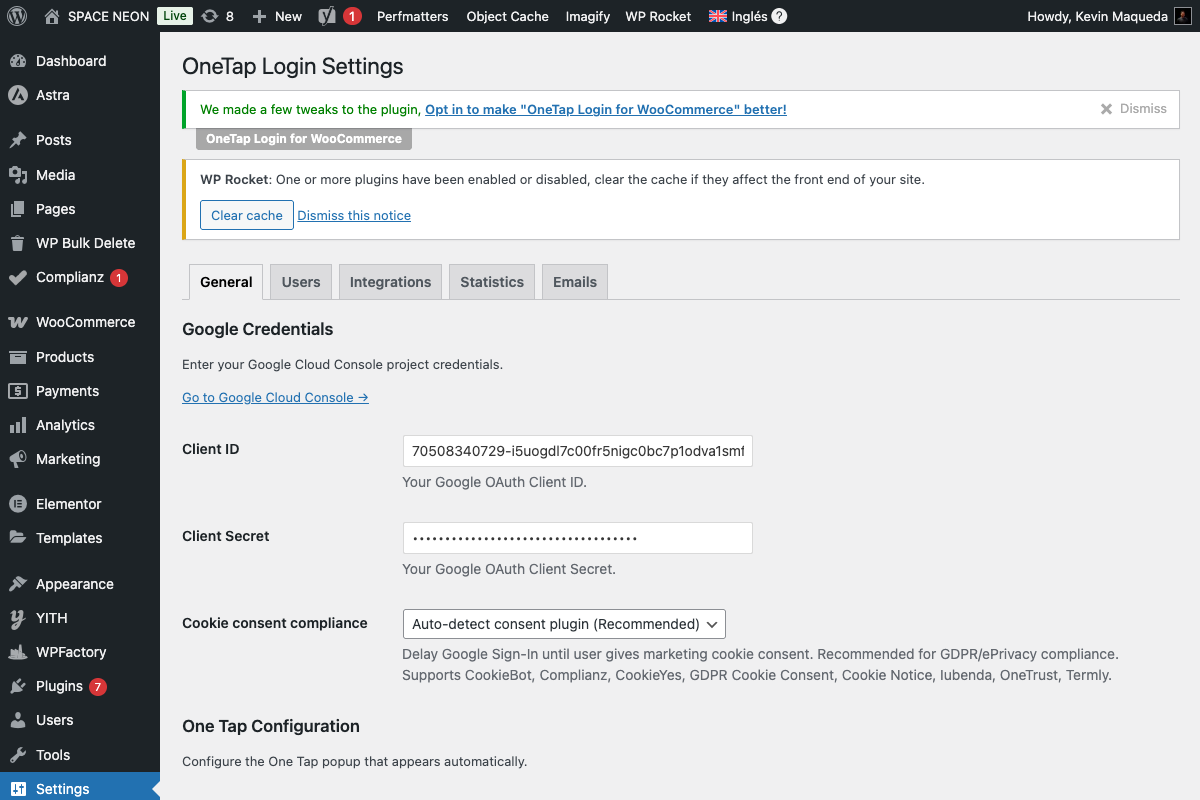
Accessing Statistics
- Go to Settings > OneTap Login
- Look at the statistics panel (sidebar or top)
- View current counts
Location
Statistics appear:
- In the admin sidebar (always visible)
- On the main settings page
- In the Statistics tab (PRO)
Understanding the Numbers
Total Registrations
What it counts: All users ever registered via Google sign-in.
Includes:
- One Tap registrations
- Sign-In Button registrations
- Any Google OAuth registration
Does NOT include:
- Standard WordPress registrations
- Users who linked Google after manual registration
- Logins (only first-time registrations)
Today
What it counts: Registrations since midnight (server time).
Reset: Automatically at midnight.
Use case: Monitor daily acquisition.
This Week
What it counts: Registrations in the last 7 days.
Calculation: Rolling 7-day window.
Use case: Weekly performance trends.
This Month
What it counts: Registrations in the last 30 days.
Calculation: Rolling 30-day window.
Use case: Monthly growth tracking.
How Statistics Are Stored
Database Storage
Statistics use WordPress options:
// Stored options
'onetap_stats_total'    // Total count
'onetap_stats_daily'    // Array of daily counts
Update Mechanism
When a new user registers via Google:
// Increment total
$total = get_option('onetap_stats_total', 0);
update_option('onetap_stats_total', $total + 1);

// Add to daily log
$daily = get_option('onetap_stats_daily', []);
$today = date('Y-m-d');
$daily[$today] = ($daily[$today] ?? 0) + 1;
update_option('onetap_stats_daily', $daily);
Statistics vs Logins
Important distinction:
| Metric | What It Tracks |
|---|---|
| Registration | First-time sign-up via Google |
| Login | Any Google sign-in (tracked in PRO) |
FREE statistics only track registrations (new accounts).
Interpreting Your Stats
Healthy Growth Signs
| Indicator | Meaning |
|---|---|
| Daily > 0 | Consistent new users |
| Week > Month/4 | Growth accelerating |
| High % of total in month | Recent surge |
Warning Signs
| Indicator | Meaning |
|---|---|
| Today = 0 for days | Check configuration |
| Week << usual | Possible issue |
| Total not growing | May be normal for mature site |
Practical Use Cases
E-commerce
Track checkout conversion improvements:
- Note baseline registration rate
- Enable Google sign-in
- Compare new registration rate
- Calculate improvement %
Content Sites
Measure member growth:
- Monitor weekly registrations
- Correlate with content releases
- Identify high-converting content
B2B Sites
Track team adoption:
- After company rollout
- Monitor daily registrations
- Follow up with non-adopters
Limitations of FREE Stats
What's NOT Available
| Feature | FREE | PRO |
|---|---|---|
| Basic counters | ✅ | ✅ |
| Historical charts | ❌ | ✅ |
| Login tracking | ❌ | ✅ |
| Period comparison | ❌ | ✅ |
| CSV export | ❌ | ✅ |
| Custom date ranges | ❌ | ✅ |
| Conversion metrics | ❌ | ✅ |
Upgrade for More
PRO Analytics includes:
- Interactive Chart.js charts
- Custom date range selection
- Login vs registration breakdown
- CSV/Excel export
- Trend analysis
See Analytics Dashboard (PRO) for details.
Resetting Statistics
When to Reset
- After testing/development
- When cleaning up test data
- Starting fresh measurement period
How to Reset
Via database (careful!):
DELETE FROM wp_options WHERE option_name LIKE 'onetap_stats%';
Or via plugin (if available):
- Some admin tools provide reset option
- Contact support for assistance
Resetting statistics is permanent. Export data first if needed (PRO).
Statistics Accuracy
What Affects Accuracy
| Factor | Impact |
|---|---|
| Caching | May delay updates |
| Multiple browsers | Each counts once |
| Test accounts | Inflate numbers |
| Deleted users | Still counted in total |
Ensuring Accuracy
- Exclude test accounts from counts
- Clear caches after significant changes
- Compare with WordPress Users count
Displaying Statistics
Admin Dashboard Widget (Future)
Statistics may be displayed in a dashboard widget:
- Quick glance at daily numbers
- Trend indicators
- Link to full statistics
Custom Display
For developers, retrieve stats programmatically:
$total = get_option('onetap_stats_total', 0);
$daily = get_option('onetap_stats_daily', []);

// This week (last 7 days)
$week_count = 0;
for ($i = 0; $i < 7; $i++) {
    $date = date('Y-m-d', strtotime("-$i days"));
    $week_count += $daily[$date] ?? 0;
}
Integration with Other Tools
Google Analytics
While plugin stats track registrations, you might also want:
- GA4 events for sign-in clicks
- Conversion tracking for Google accounts
- Funnel analysis
WooCommerce Reports
Compare with WooCommerce:
- New customers via Google vs total new customers
- Revenue from Google-registered customers
- Customer lifetime value comparison
CRM Integration
With PRO webhooks:
- Send registration events to CRM
- Track Google users in external systems
- Build custom reports
FAQ
Why is my total different from WordPress Users?
Total only counts Google registrations. WordPress Users includes:
- Manual registrations
- Admin-created users
- Imported users
- Any non-Google registration
Why did today reset to 0?
The "Today" counter resets at midnight server time. Check your server timezone settings.
Can I track logins, not just registrations?
Login tracking requires PRO. FREE only tracks first-time registrations.
Do linked accounts count as registrations?
No. If a user links Google to an existing account, it's not counted as a registration (the account already existed).
Next Steps
- Connection Test - Verify your setup
- Analytics Dashboard (PRO) - Advanced analytics
- Webhooks (PRO) - External tracking