Marketing Consent
Marketing Consent adds a GDPR-compliant opt-in mechanism for collecting marketing permission from users who sign in with Google. Essential for email marketing compliance in the EU and other regulated regions.
Marketing Consent is a PRO feature. Upgrade to PRO to unlock this functionality.
Why Marketing Consent?
Legal Requirements
Under GDPR and similar laws:
- Marketing requires explicit consent
- Consent must be freely given
- Pre-checked boxes are not valid
- Must be easy to withdraw
Google Sign-In Context
Google sign-in provides:
- Email address
- Profile information
But does NOT provide:
- Marketing consent
- Newsletter opt-in
- Permission to email promotions
How It Works
User signs in with Google
        ↓
Marketing consent UI appears
        ↓
User opts in or declines
        ↓
    Opted in → Subscribe to email list
        ↓
    Declined → No subscription
        ↓
Consent status recorded
Consent UI Options
Checkbox Mode
Checkbox appears during/after sign-in:
☐ I want to receive updates and offers via email
- User must check to opt in
- Unchecked = no consent
- Clear and explicit
Banner Mode
Banner appears after sign-in:
┌────────────────────────────────────────┐
│  📧 Stay in the loop!                  │
│                                        │
│  Get exclusive offers and updates.     │
│                                        │
│  [Yes, subscribe]  [No thanks]         │
└────────────────────────────────────────┘
Modal Mode
Popup modal for higher visibility:
┌────────────────────────────────────────┐
│           Newsletter                    │
│                                        │
│  Would you like to receive our         │
│  newsletter with exclusive offers?     │
│                                        │
│  [Subscribe]         [Maybe later]     │
└────────────────────────────────────────┘
Configuration
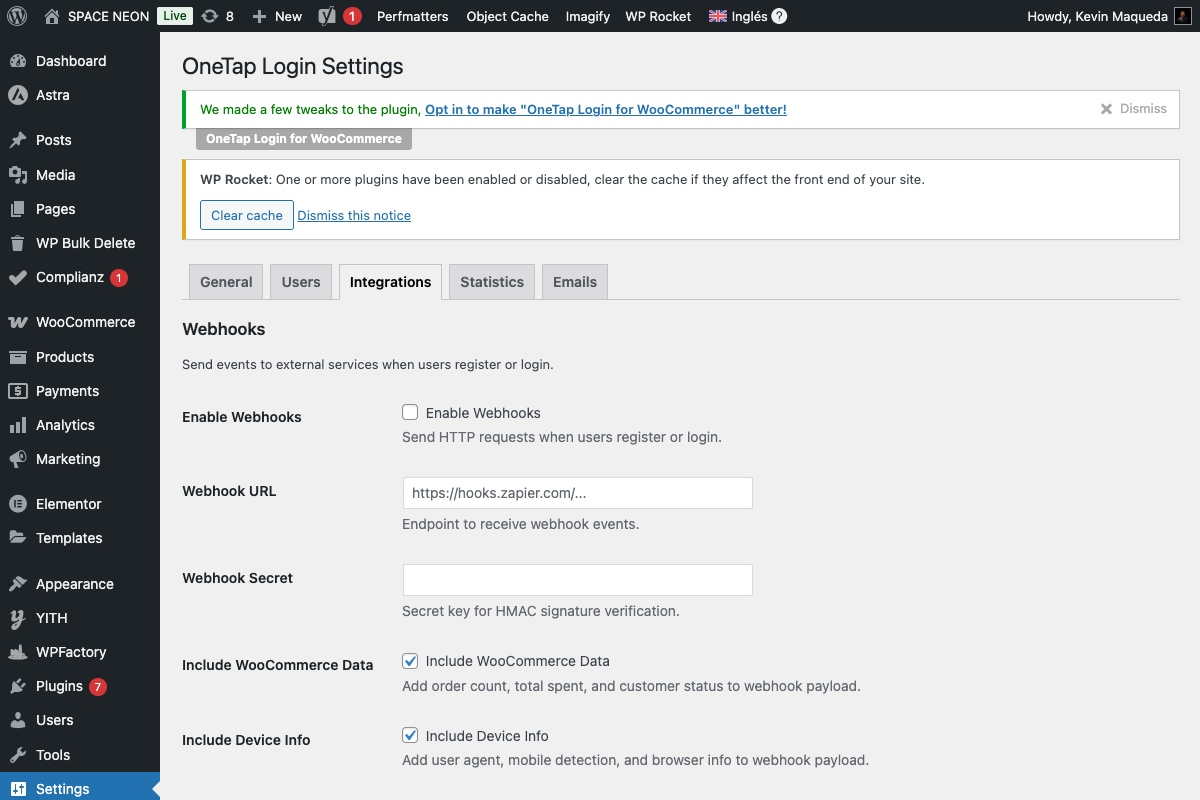
Enable Marketing Consent
- Go to Settings > OneTap Login
- Click Users tab (or Integrations)
- Enable Require marketing consent
- Configure UI options
- Save Changes
Settings Options
| Setting | Description |
|---|---|
| Enable consent | Toggle feature on/off |
| Consent UI | Checkbox, banner, or modal |
| Consent text | Message shown to users |
| Link to privacy | Include privacy policy link |
| Remember declined | Don't ask again if declined |
Consent Recording
Data Stored
When user consents:
| Meta Key | Value |
|---|---|
_onetap_marketing_consent | yes/no |
_onetap_consent_timestamp | ISO 8601 date |
_onetap_consent_ip | IP address |
_onetap_consent_method | checkbox/banner/modal |
Audit Trail
For GDPR compliance, record:
- When consent given
- How consent given
- What they consented to
- Version of consent text
Viewing Consent Status
In user profile:
- Go to Users > [User]
- Scroll to "Marketing Consent"
- View consent status and history
Email Marketing Integration
Automatic Subscription
With consent:
User consents → Subscribed to email list
Without consent:
User declines → Not subscribed
Provider Flow
User signs in with Google
        ↓
Consent UI shown
        ↓
User consents
        ↓
OneTap subscribes to ESP
        ↓
Double opt-in email sent (if enabled)
See Email Marketing for provider setup.
Consent Text Examples
Default
I agree to receive marketing emails and promotions.
You can unsubscribe at any time.
Detailed
I would like to receive:
• Exclusive offers and discounts
• New product announcements
• Tips and helpful content

You can unsubscribe anytime via the link in our emails.
View our Privacy Policy.
Minimal
Subscribe to our newsletter
With Frequency
Get our weekly newsletter with deals and updates.
Unsubscribe anytime.
GDPR Requirements
Valid Consent
Under GDPR, consent must be:
| Requirement | Implementation |
|---|---|
| Freely given | Clear decline option |
| Specific | States what you'll send |
| Informed | Links to privacy policy |
| Unambiguous | Active action required |
Not Valid
Avoid these:
- Pre-checked checkboxes ❌
- Bundled consent ❌
- Hidden decline option ❌
- Vague purpose ❌
Withdrawal
Users must be able to:
- Unsubscribe from emails
- Request consent revocation
- Have records deleted
Hooks for Developers
After Consent Given
add_action('onetap_marketing_consent_given', function($user_id, $consent_data) {
    // Subscribe to additional services
    // Update CRM
    // Trigger automation
}, 10, 2);
After Consent Declined
add_action('onetap_marketing_consent_declined', function($user_id) {
    // Log decline
    // Potentially show alternative
}, 10, 1);
Customize Consent UI
add_filter('onetap_consent_ui_content', function($content) {
    $content['heading'] = 'Stay Connected';
    $content['message'] = 'Get 10% off when you subscribe!';
    return $content;
});
Filter Consent Requirement
add_filter('onetap_require_marketing_consent', function($require, $user_id) {
    // Don't require for returning customers
    $order_count = wc_get_customer_order_count($user_id);
    if ($order_count > 0) {
        return false;
    }
    return $require;
}, 10, 2);
Consent and Email Marketing Providers
MailChimp
Consent status can map to:
- Subscription status
- Marketing permissions
- GDPR fields
Other Providers
Similar mappings available for:
- MailerLite
- Brevo
- Klaviyo
- GetResponse
Testing Consent Flow
Test Scenarios
- New user consents: Should subscribe to list
- New user declines: Should NOT subscribe
- Returning user: May or may not show prompt
- Consent then login again: Should not re-ask
Verification
- Create test registration
- Consent or decline
- Check user meta for consent status
- Check ESP for subscription status
Troubleshooting
Consent UI Not Appearing
Causes:
- Feature disabled
- User already has consent status
- JavaScript error
- Theme conflict
Solutions:
- Enable in settings
- Test with new user
- Check console
- Test with default theme
Consent Not Recorded
Causes:
- Form submission error
- AJAX failure
- Database issue
Solutions:
- Check network requests
- Review error logs
- Check database connectivity
Subscribed Without Consent
Causes:
- Consent feature disabled
- Different subscription path
- Plugin conflict
Solutions:
- Verify consent is enabled
- Check all subscription triggers
- Audit email marketing settings
Privacy Compliance
Data Export
Include consent data in GDPR exports:
add_filter('wp_privacy_personal_data_exporters', function($exporters) {
    $exporters['onetap-consent'] = [
        'exporter_friendly_name' => 'OneTap Marketing Consent',
        'callback' => 'onetap_export_consent_data',
    ];
    return $exporters;
});
Data Erasure
Delete consent data on erasure request:
add_filter('wp_privacy_personal_data_erasers', function($erasers) {
    $erasers['onetap-consent'] = [
        'eraser_friendly_name' => 'OneTap Marketing Consent',
        'callback' => 'onetap_erase_consent_data',
    ];
    return $erasers;
});
Best Practices
Do's
- Clear consent language
- Easy decline option
- Honor unsubscribes
- Maintain audit trail
- Link to privacy policy
Don'ts
- Pre-check consent
- Hide decline option
- Bundle consent with ToS
- Use vague language
- Ignore consent status
Next Steps
- Email Marketing - ESP setup
- Cookie Consent - Cookie compliance
- Privacy/Security - Full security guide