Email Marketing Overview
OneTap Login PRO can automatically subscribe new Google users to your email marketing list. Choose from 5 popular email service providers (ESPs) with built-in GDPR compliance features.
PRO Feature
Email Marketing integration is a PRO feature. Upgrade to PRO to unlock this functionality.
Supported Providers
| Provider | Features | Double Opt-in |
|---|---|---|
| MailChimp | Lists, tags, merge fields | Yes |
| MailerLite | Groups, custom fields | Yes |
| Brevo | Lists, DOI templates, SMS | Yes |
| Klaviyo | Lists, profiles, events | Yes |
| GetResponse | Campaigns, tagging | Yes |
How It Works
User signs in with Google
        ↓
Account created/logged in
        ↓
Check: Marketing consent given?
        ↓
    YES → Subscribe to email list
        ↓
    NO → Skip subscription
Configuration
Accessing Settings
- Go to Settings > OneTap Login
- Click Integrations tab
- Find Email Marketing section
Basic Setup
- Enable Email Marketing: Toggle on
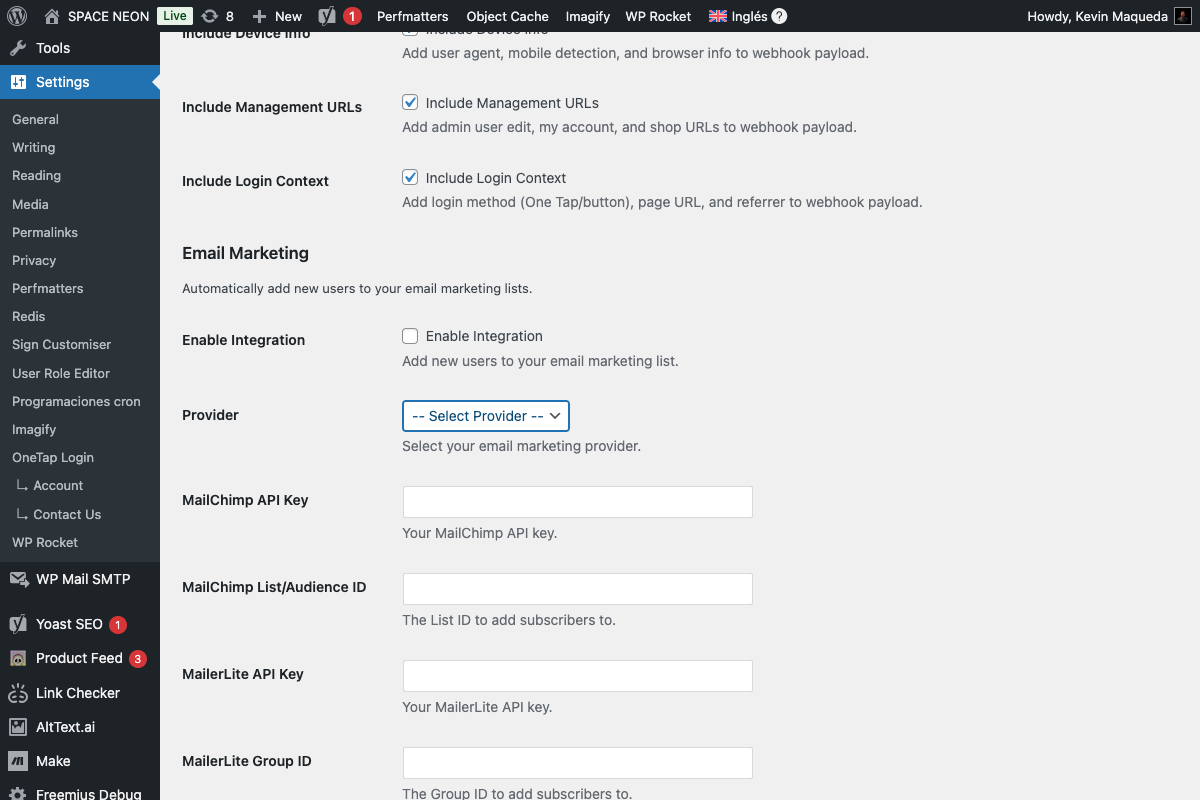
- Select Provider: Choose from dropdown
- Enter API Key: From your ESP
- Enter List ID: Target list/audience
- Save Changes
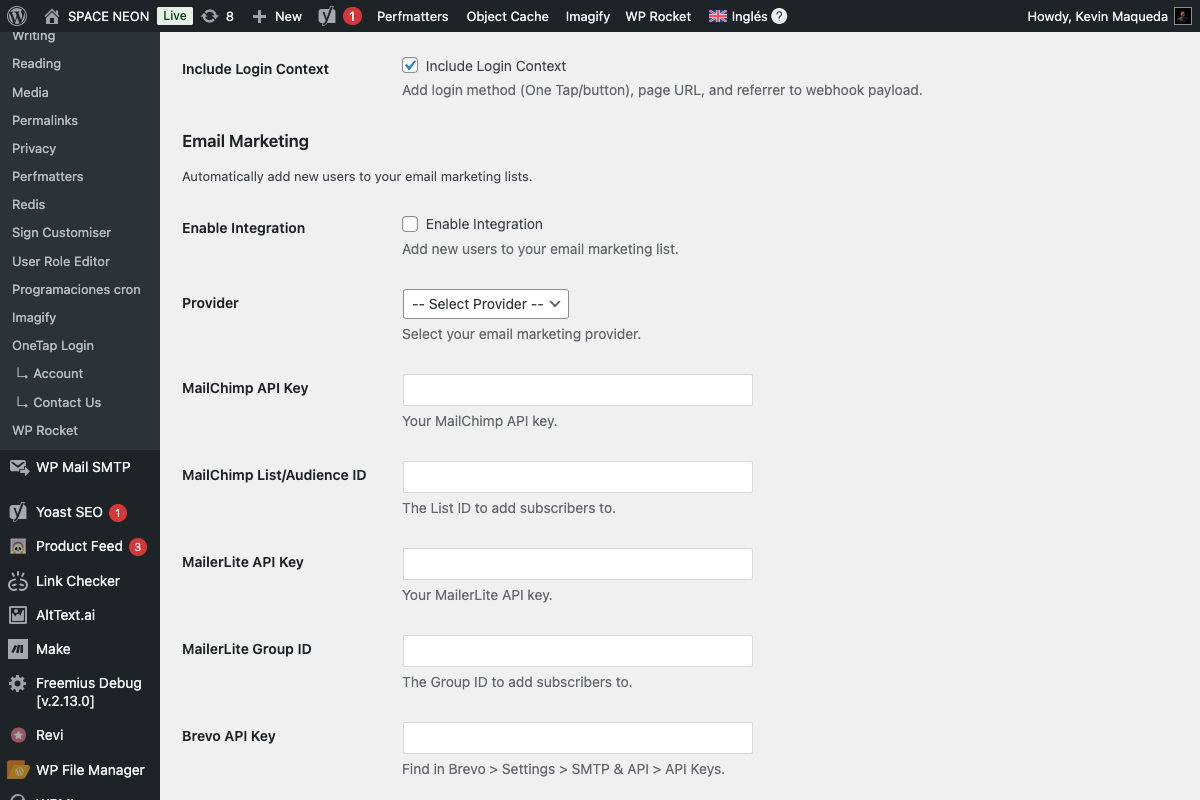
Provider Dropdown
GDPR Compliance
Double Opt-in (DOI)
All providers support double opt-in:
1. User signs up
2. Added to list as "pending"
3. Confirmation email sent
4. User clicks confirm link
5. Status changes to "subscribed"
Marketing Consent
Enable the consent requirement:
Settings > Users > Marketing Consent

☑ Require marketing consent before subscribing
See Marketing Consent for details.
Consent Modes
| Mode | Behavior |
|---|---|
| Disabled | Subscribe all users automatically |
| Checkbox | User must check consent box |
| Explicit popup | Modal consent dialog |
Data Sent to ESP
When subscribing, OneTap Login sends:
| Field | Description |
|---|---|
| User's email address | |
| First Name | From Google profile |
| Last Name | From Google profile |
| Source | "google_signup" or custom |
Custom Fields (varies by provider)
Some providers accept additional data:
- Registration date
- Website URL
- Custom tags
Provider Comparison
Features
| Feature | MailChimp | MailerLite | Brevo | Klaviyo | GetResponse |
|---|---|---|---|---|---|
| Free tier | 500 contacts | 1,000 contacts | 300 emails/day | 250 contacts | 500 contacts |
| Tags | Yes | No | Yes | Yes | Yes |
| Segments | Yes | Yes | Yes | Yes | Yes |
| Automations | Yes | Yes | Yes | Yes | Yes |
| Landing pages | Yes | Yes | Yes | No | Yes |
| SMS | No | No | Yes | Yes | No |
Best For
| Provider | Best For |
|---|---|
| MailChimp | Beginners, established brand |
| MailerLite | Budget-conscious, simplicity |
| Brevo | Transactional + marketing, SMS |
| Klaviyo | E-commerce, advanced segmentation |
| GetResponse | Webinars, all-in-one marketing |
Integration Flow
New User Registration
1. User registers via Google
2. OneTap creates WordPress account
3. Check marketing consent (if enabled)
4. If consent given:
   a. Call ESP API
   b. Add subscriber with data
   c. Trigger DOI if enabled
5. Log subscription result
Returning User Login
By default, returning users are NOT re-subscribed:
- Only new registrations trigger subscription
- Prevents duplicate subscriptions
- Respects unsubscribes in ESP
Testing Integration
Test Connection
Each provider section has a Test Connection button:
- Enter API credentials
- Click Test Connection
- Verify success message
Verify Subscription
- Create test account via Google sign-in
- Check ESP for new subscriber
- Verify DOI email sent (if enabled)
- Confirm data fields populated
Troubleshooting
User Not Subscribed
Causes:
- Marketing consent not given
- API credentials invalid
- List ID incorrect
- User already exists in list
Solutions:
- Check consent settings
- Verify API key
- Verify list/audience ID
- Check ESP for existing subscriber
API Error
Common errors:
| Error | Solution |
|---|---|
| 401 Unauthorized | Check API key |
| 404 Not Found | Check list ID |
| 400 Bad Request | Check email format |
| 429 Rate Limited | Wait and retry |
DOI Email Not Sent
Causes:
- DOI not enabled in ESP
- User already confirmed
- Email in ESP suppression list
Solutions:
- Enable DOI in ESP settings
- Check subscriber status
- Review ESP suppression list
Privacy & Legal
What's Stored
OneTap Login stores:
- Subscription status
- Consent timestamp
- ESP subscriber ID
What's Sent
Only essential data sent to ESP:
- Email (required)
- Name (optional)
- Tags (optional)
GDPR Requirements
To be GDPR compliant:
- Enable marketing consent
- Use double opt-in
- Provide unsubscribe option
- Document consent
CAN-SPAM / CASL
For North American compliance:
- Include physical address in emails
- Provide unsubscribe mechanism
- Honor unsubscribes within 10 days
Next Steps
Choose your provider:
Or configure consent: