UTM Tracking
UTM Tracking preserves campaign parameters (UTM codes, gclid, fbclid) through the Google sign-in process, ensuring accurate attribution for marketing campaigns.
UTM Tracking is a PRO feature. Upgrade to PRO to unlock this functionality.
The Problem
Without UTM tracking:
1. User arrives via ad: yoursite.com?utm_source=google&gclid=abc123
2. User clicks Google sign-in
3. OAuth redirect loses UTM parameters
4. Attribution data lost
The Solution
With UTM tracking:
1. User arrives via ad with UTM parameters
2. Plugin captures parameters before sign-in
3. Parameters stored during OAuth flow
4. After sign-in, parameters restored
5. Attribution preserved for analytics/orders
Tracked Parameters
UTM Parameters
| Parameter | Description | Example |
|---|---|---|
utm_source | Traffic source | google, facebook |
utm_medium | Marketing medium | cpc, email, social |
utm_campaign | Campaign name | summer_sale |
utm_term | Paid keywords | running+shoes |
utm_content | Ad content/variant | banner_a |
utm_id | Campaign ID | abc123 |
Click IDs
| Parameter | Platform | Example |
|---|---|---|
gclid | Google Ads | Cj0KCQiA... |
fbclid | IwAR0xyz... | |
msclkid | Microsoft Ads | abc123 |
dclid | DoubleClick | xyz789 |
Configuration
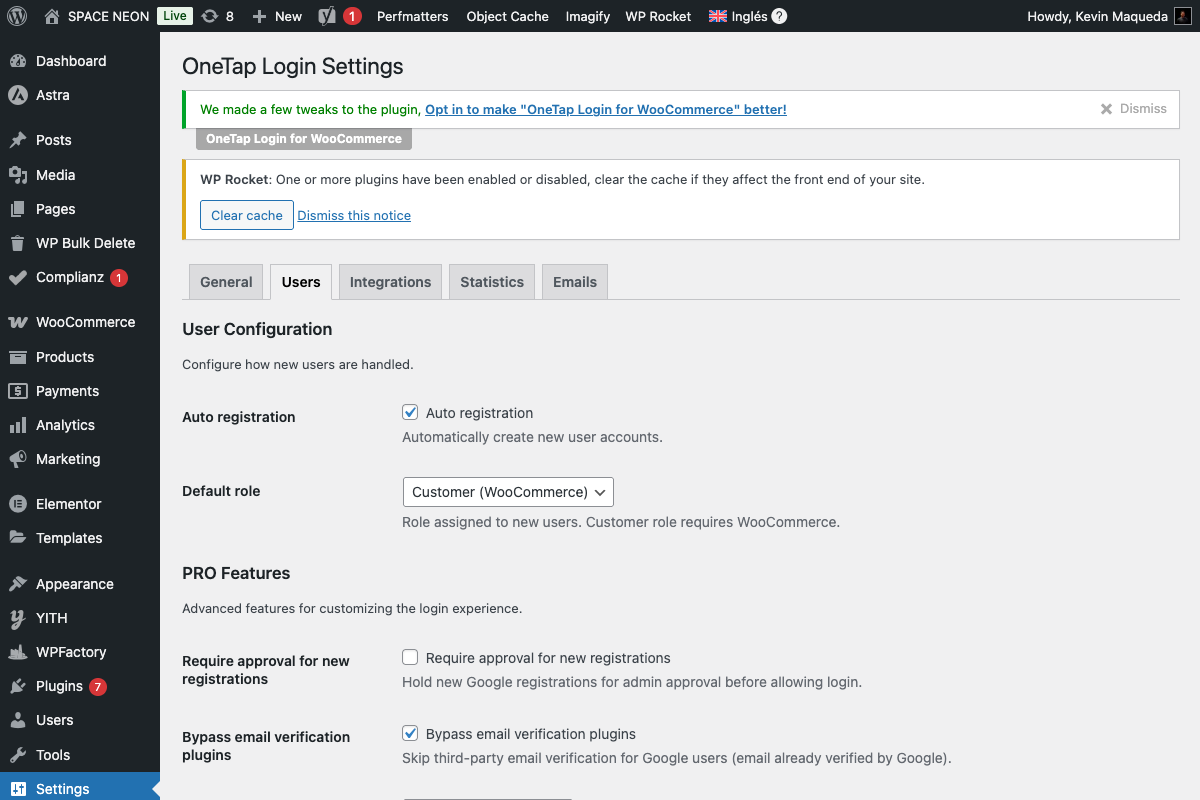
Enable UTM Tracking
- Go to Settings > OneTap Login
- Click Integrations tab (or Users)
- Enable Preserve UTM parameters
- Save Changes
Settings Options
| Setting | Description |
|---|---|
| Enable UTM tracking | Toggle feature on/off |
| Store first-touch | Save first visit attribution |
| Store last-touch | Save most recent attribution |
| Save to user meta | Store with user profile |
| Save to order meta | Store with WooCommerce orders |
Attribution Models
First-Touch Attribution
Records parameters from user's first visit:
Visit 1: utm_source=google (stored as first-touch)
Visit 2: utm_source=facebook
Visit 3: User registers
→ First-touch: google
Use for: Understanding discovery channel
Last-Touch Attribution
Records parameters from most recent visit:
Visit 1: utm_source=google
Visit 2: utm_source=facebook (stored as last-touch)
Visit 3: User registers
→ Last-touch: facebook
Use for: Understanding converting channel
Both Models
Enable both for complete picture:
User Meta:
_onetap_utm_first_touch: {...google data...}
_onetap_utm_last_touch: {...facebook data...}
Data Storage
User Meta
UTM data stored in user meta:
| Meta Key | Content |
|---|---|
_onetap_utm_source | Traffic source |
_onetap_utm_medium | Marketing medium |
_onetap_utm_campaign | Campaign name |
_onetap_utm_term | Keywords |
_onetap_utm_content | Ad content |
_onetap_gclid | Google Ads click ID |
_onetap_fbclid | Facebook click ID |
WooCommerce Order Meta
When order placed:
| Meta Key | Content |
|---|---|
_onetap_utm_source | Source at time of order |
_onetap_utm_campaign | Campaign at time of order |
_onetap_gclid | Google click ID |
WooCommerce Attribution Integration
OneTap integrates with WooCommerce's built-in order attribution:
- Data flows to WC attribution table
- Visible in Order Analytics
- Works with WC reports
Viewing UTM Data
In User Profile
- Go to Users > All Users
- Click on user
- Scroll to "Marketing Attribution"
In Order Details
- Go to WooCommerce > Orders
- Click on order
- Look for "Marketing Attribution" or "UTM Data"
Via Database
SELECT * FROM wp_usermeta
WHERE user_id = 123
AND meta_key LIKE '_onetap_utm%';
Analytics Integration
Google Analytics 4
UTM parameters flow to GA4 automatically when present in URLs.
For Enhanced Tracking
Use webhooks to send data:
{
  "event": "user_registered",
  "context": {
    "utm_source": "google",
    "utm_medium": "cpc",
    "utm_campaign": "summer_sale",
    "gclid": "Cj0KCQiA..."
  }
}
Google Ads Conversion Tracking
With gclid preserved:
- User registers via ad
- gclid captured
- Pass to Google Ads API
- Conversion attributed to ad
Use Cases
Measure Campaign ROI
1. Run Google Ads campaign
2. Users sign up via ad
3. UTM data captured
4. Track which campaigns drive registrations
5. Calculate cost per acquisition
Optimize Ad Spend
1. Multiple campaigns running
2. Track registrations per campaign
3. Identify high-performing campaigns
4. Shift budget to winners
Attribution Reporting
1. Export user data with UTM
2. Build attribution report
3. Understand customer journey
4. First vs last touch analysis
Customer Segmentation
1. Segment users by utm_source
2. Google users vs Facebook users
3. Different messaging per segment
4. Personalized experiences
Hooks for Developers
Before Storing UTM
add_filter('onetap_utm_data', function($utm_data, $user_id) {
    // Add custom parameter
    $utm_data['custom_param'] = $_GET['my_param'] ?? null;
    return $utm_data;
}, 10, 2);
After UTM Stored
add_action('onetap_utm_stored', function($user_id, $utm_data) {
    // Send to analytics service
    // Update CRM
    // Log for reporting
}, 10, 2);
Filter Which Parameters to Track
add_filter('onetap_tracked_params', function($params) {
    // Add custom parameter
    $params[] = 'my_tracking_id';
    return $params;
});
Troubleshooting
UTM Data Not Captured
Causes:
- Feature disabled
- Parameters lost before page load
- JavaScript not running
Solutions:
- Enable UTM tracking
- Check URL on landing page
- Verify JS loads
Wrong Attribution Data
Causes:
- First vs last touch confusion
- Multiple visits without tracking
- Cookie expiration
Solutions:
- Understand attribution model
- Enable consistent tracking
- Check cookie duration
Data Not in Orders
Causes:
- Order meta not enabled
- User signed in after landing
- Different browser/device
Solutions:
- Enable order meta storage
- Data captured at registration time
- Cross-device attribution limited
Privacy Considerations
GDPR
UTM data may be considered personal data:
- Document in privacy policy
- Include in data export
- Delete on erasure request
Cookie Consent
If using cookies to persist UTM:
- May require consent
- Integrate with cookie consent plugin
- Consider session-only storage
Data Retention
Storage Duration
- User meta: Until user deleted
- Order meta: Until order deleted
- Cookies: Session or configured duration
Cleanup
// To remove UTM data
delete_user_meta($user_id, '_onetap_utm_source');
delete_user_meta($user_id, '_onetap_utm_medium');
// etc.
Best Practices
Campaign Naming
Use consistent UTM naming:
utm_source: platform (google, facebook, email)
utm_medium: type (cpc, organic, newsletter)
utm_campaign: campaign_name_date
Testing
Before campaigns:
- Test with manual UTM URL
- Verify data captured
- Check user/order meta
- Confirm analytics integration
Documentation
Maintain:
- UTM naming conventions
- Campaign tracking spreadsheet
- Attribution model documentation
Next Steps
- Webhooks - Send UTM data externally
- Analytics Dashboard - View metrics
- Marketing Consent - GDPR compliance